Threads Social profile connection
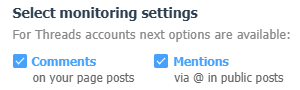
At the moment, the service can collect and process comments under your posts, as well as direct mentions via @ of your account in public posts.
There is no API for direct messages yet.
To connect a Threads account
- Go toSettings - Social profilesand click on the "Add Social profile" button with the required company
- In the window that opens, click the "Add" button next to Threads
- Select the activities that the service will listen
- If you need to load older interactions, use the "Select a period to load existing data" section and select the available period from the drop-down list
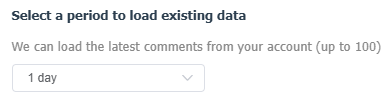
Please note that this does not load a complete interaction history.
Technical limitations allow loading comments no older than 7 days and no more than 100 items in random order.
Technical limitations allow loading comments no older than 7 days and no more than 100 items in random order.
- Click the "Continue with Threads" button
- Log in to your account and allow the app to access all the requested permissions
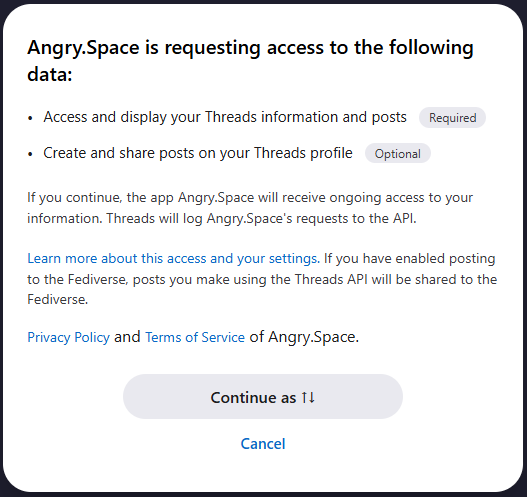
After this, the window will close and the account will be connected to the service.